How to Create Realistic Figurine Images with Google Gemini AI
By CNH Team
In the digital era, the demand for high-quality figurine visuals has grown rapidly—whether for collectors, toy enthusiasts, or businesses. With the rise of AI-powered image generation tools like Google Gemini, it’s now possible to create photorealistic figurine images without expensive equipment or 3D modeling software.
This article provides a complete guide on how to generate a figurine image based on a detailed trading prompt, covering the figurine’s details, environment setup, packaging representation, and step-by-step guidance on using Google Gemini effectively.
By the end, you’ll know how to craft prompts, adjust outputs, and create your own professional figurine visuals.
Why Use Google Gemini for Figurine Image Generation?
Google Gemini is not just a chatbot; it’s a multi-modal AI model capable of handling text, images, and creative tasks. For figurine enthusiasts, it offers:
- Realism: Ability to render objects with lifelike textures like PVC, acrylic, and plastic.
- Customizability: Prompts allow full control over figurine scale, environment, and packaging.
- Speed: A professional-level image can be generated in minutes instead of weeks of manual modeling.
- Accessibility: Anyone with a prompt can create images—no need for design skills.
Understanding the Figurine Prompt Components
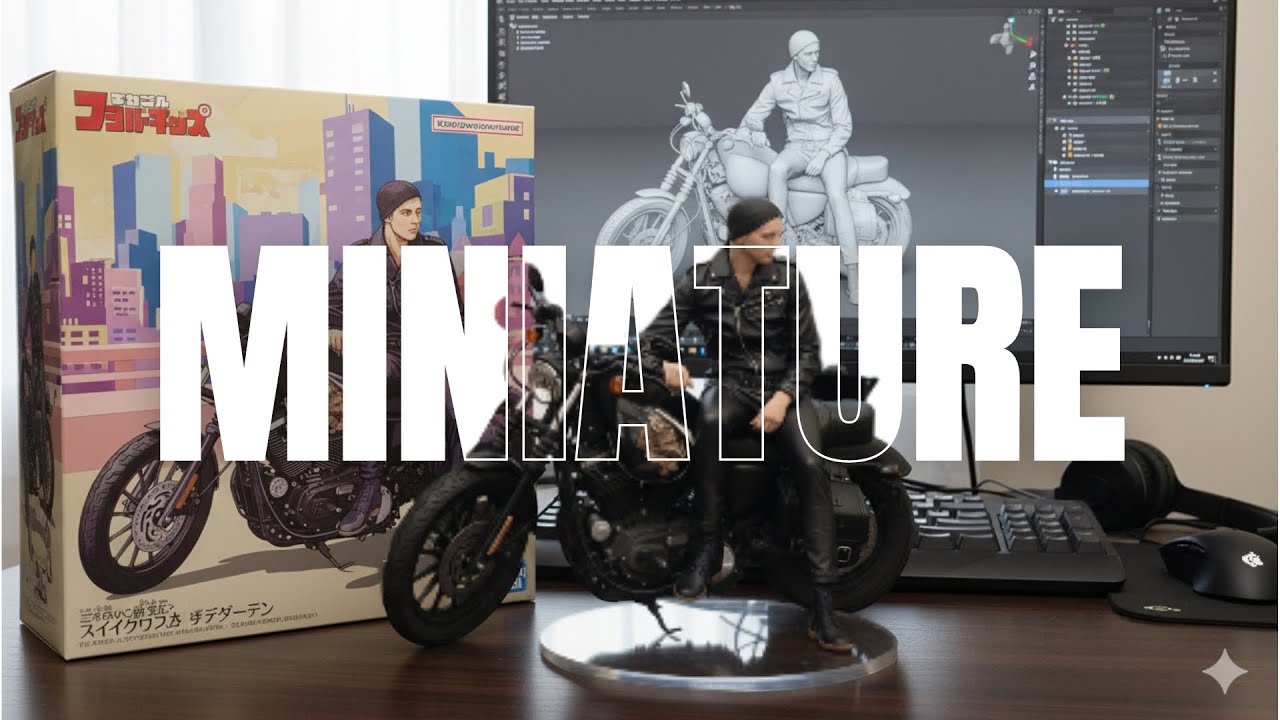
Let’s break down the prompt into three main components:
1. Figurine Specification Details
- Scale: 1/7 figurine (common in anime and collectible markets).
- Material: PVC, rendered in a realistic style.
- Base: Transparent, round acrylic base without text.
- Placement: On a computer desk for a natural, relatable setting.
2. Environment and Setting
- Indoor background: Cozy desk or studio-like environment.
- Computer screen: Must show the brush modeling process of the figurine, hinting at its creation.
3. Packaging and Presentation
- BANDAI-style packaging box: With original artwork and 2D flat illustrations.
- Character packaging box: Behind the figurine, featuring printed character art.
- Placement: Next to the figurine and computer screen, simulating a real product unboxing setup.
Prompt to Copy
Figurine Details: A 1/7 scale figurine of a character from an unspecified "picture,"
rendered in a realistic style, made of PVC, and placed on a computer desk.
It should have a round, transparent acrylic base without text.
Environment Details: The background should be indoors, and the computer
screen should display the brush modeling process of the figurine.
Packaging Details: A BANDAI-style toy packaging box with original artwork
and two-dimensional flat illustrations should be placed next to the computer
screen. A model packaging box with the character printed on it should be behind the
figurine.
Complete Step-by-Step Tutorial
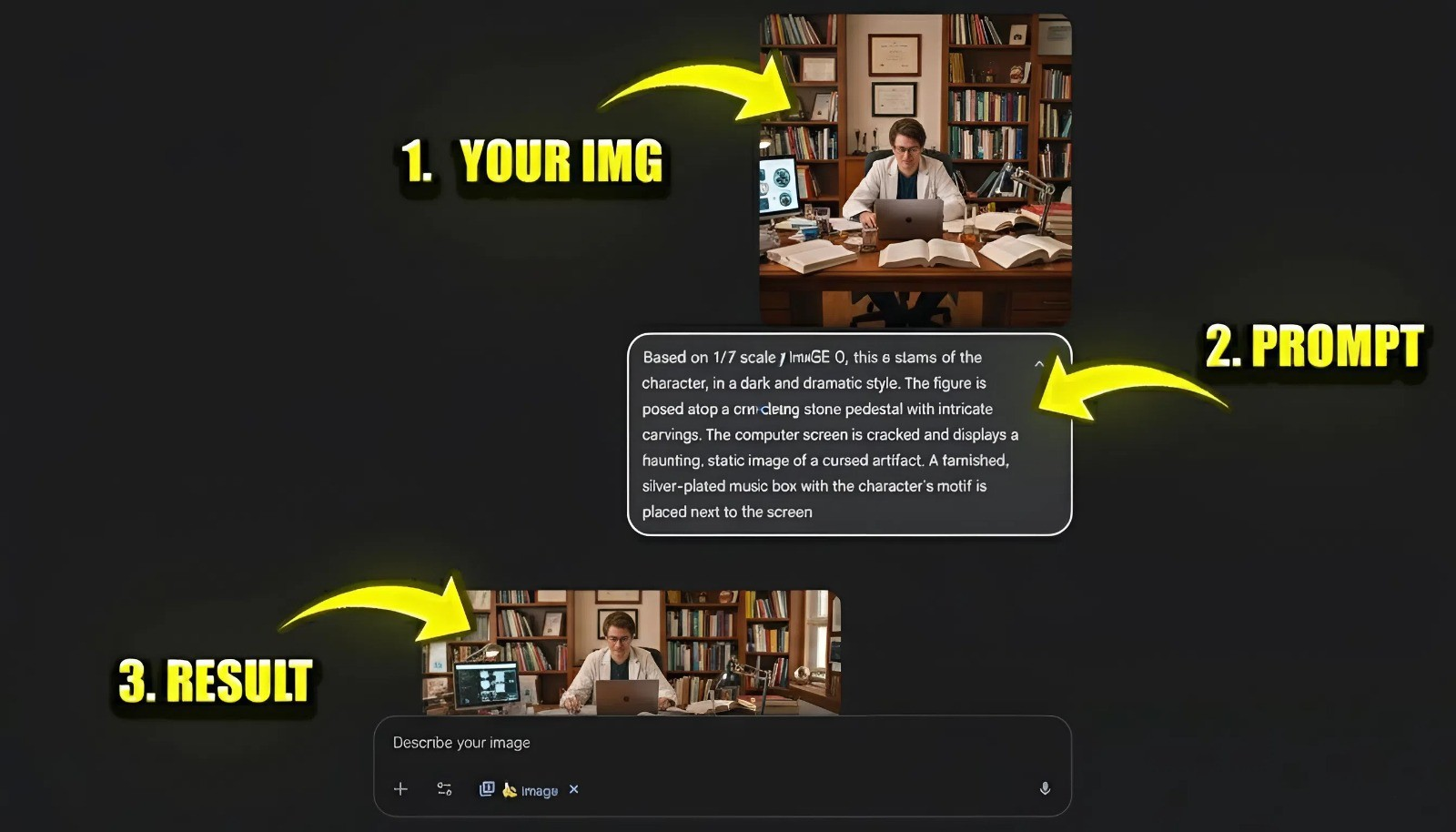
Step 1: Access Google Gemini
Visit Google Gemini or use the mobile app. Make sure you have the image generation feature enabled (it may require Gemini Advanced depending on your region).
Step 2: Prepare Your Base Prompt
Start with a clear, descriptive prompt that includes all three sections: figurine, environment, and packaging. For example:
“A 1/7 scale figurine of a character from a reference picture, rendered in a realistic style, made of PVC, and placed on a computer desk. The figurine stands on a round, transparent acrylic base without text. In the background, a computer screen shows the brush modeling process of the figurine. Beside the figurine, a BANDAI-style packaging box with original artwork and flat 2D illustrations is placed. Behind the figurine, a model packaging box with the character printed on it is visible. Indoor setting, professional lighting.”
Step 3: Upload Reference Images (Optional)
If you have a character picture (anime, game, or custom art) or a packaging design you want Gemini to reference, upload these alongside the prompt for better accuracy.
Step 4: Generate the First Output
Click Generate. Gemini will create 2–4 variations. Examine them carefully: Does the figurine look realistic? Is the acrylic base transparent? Is the BANDAI-style packaging box visible? Is the computer screen showing a brush modeling process?
Step 5: Refine with Adjustments
AI image generation often requires fine-tuning. Use refinements such as:
- “Increase the realism of PVC texture.”
- “Make the acrylic base completely transparent.”
- “Ensure packaging shows clean 2D illustrations.”
- “Improve lighting to highlight figurine details.”
Repeat until the output matches your vision.
Step 6: Export and Save
Download the best version in high resolution. Gemini usually exports in HD (1024×1024 or higher), suitable for online showcases.
Advanced Tips and Best Practices
- Be Specific in Prompts: The more details you give (size, material, placement, packaging style), the closer Gemini will align with your vision.
- Use Real-World References: Uploading actual toy packaging or figurine references enhances realism.
- Experiment with Angles: Ask Gemini to generate multiple perspectives: front, side, and angled shots. This mimics real photography.
- Enhance with Editing Tools: After generating, use Photoshop or Canva to refine colors, remove inconsistencies, or add branding.
- Leverage Consistency: If you plan multiple figurine images, save your prompt template and reuse it for uniform results.
Conclusion
Creating a realistic figurine image with Google Gemini is not only possible but surprisingly straightforward. By carefully structuring your prompt—detailing the figurine, environment, and packaging—you can achieve professional-level visuals in minutes. Whether you’re a toy collector, e-commerce seller, or creative hobbyist, this guide shows you how to craft precise prompts and generate stunning figurine visuals.
Ready to Create Your Own Figurine Images?
Try Google Gemini today and generate professional-quality figurine visuals in minutes.
Start Creating Now →Frequently Asked Questions (FAQ)
Can Google Gemini create figurines of copyrighted characters?
Google Gemini can generate figurine-style images inspired by various art styles. However, you should be mindful of copyright and intellectual property laws when creating and using images of specific, trademarked characters, especially for commercial purposes. It's best to use such images for personal projects or inspiration.
What's the best resolution for AI-generated figurine images?
For professional use, aim for an image resolution of at least 1024x1024 pixels. Modern AI tools like Google Gemini typically output high-resolution images (e.g., 1536x1536) that are suitable for both web display and small-scale printing.
How much does it cost to generate figurine images with Google Gemini?
Access to Google Gemini's basic features, including some image generation capabilities, is often free but may have usage limits. For unlimited access and more advanced features, a subscription to a plan like Gemini Advanced may be required. Pricing and availability can vary by region.